Connect your device volume.
Changes to your selected computer audio output’s volume are reflected on your Sonos speaker. Use system volume controls, keyboard keys, or supported device controls.
 Speaker Volume Bridge
For macOS, Windows & Linux
Keep your computer’s audio output and your Sonos speaker volume in sync. Adjust volume through system controls, keyboard keys, or supported audio-device controls.
Your computer ↔ Your speaker
LESS FIDDLING. MORE LISTENING.
Changes to your selected computer audio output’s volume are reflected on your Sonos speaker. Use system volume controls, keyboard keys, or supported device controls.
Enable two-way synchronization to reflect speaker volume changes on your computer too. You can also choose to synchronize mute.
Set a maximum speaker volume and choose how volume changes feel, including a gentler curve for finer control at low volumes.
Follow your current audio output or select a fixed one. Start at login and reconnect automatically after interruptions.
Set weekly half-hour blocks for Night Mode on your selected compatible speaker. Drag to select several days at once, and choose native notifications when the schedule starts or ends.
DOWNLOAD SPEAKER VOLUME BRIDGE
Formerly Sonos Volume Bridge. Upgrade instructions.
Free and open source. Choose the download for your operating system.
Latest stable release · Check the latest release ↗
For Macs running macOS 13 or later. Check the release notes for signing and notarization status before installing. Open the DMG and drag the app into Applications.
Install from Microsoft Store or choose the direct installer for your processor: x64 or ARM64.
For Ubuntu on x86-64 or ARM64, with PulseAudio or PipeWire and
pactl.
Need a hand? Read the installation guide ↗
A FEW CLICKS, THEN BACK TO YOUR MUSIC.
You’ll need a Sonos speaker on the same local network and a computer audio output with software volume control.
Full installation guide ↗Download the package for your operating system from the project’s releases.
Select the Sonos speaker and the computer audio output you want to connect.
Choose your sync and volume preferences. Close the settings window and use your normal volume controls.
LOCAL BY DESIGN
No advertising, analytics, or publisher telemetry in the app. Preferences and diagnostic logs stay on your computer unless you choose to share them. Optional update checks read the public project catalog without sending speaker or configuration data.
Read the privacy policy →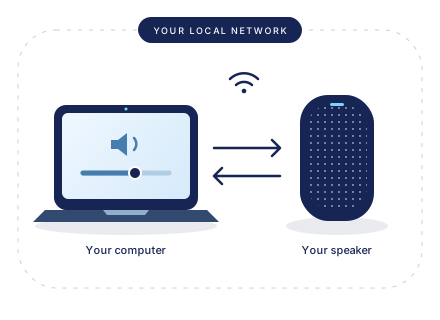
GOOD TO KNOW
This app synchronizes volume and optional mute state. It does not play, stream, capture, or redirect audio.
It’s an early community project, with hands-on testing currently limited to a Sonos Ray. Other models and hardware combinations may need validation.
macOS requires version 13 or later. Linux support targets Ubuntu
with PulseAudio or PipeWire with pactl. Check the
installation guide for available packages and platform notes.
A SMALL BRIDGE. AN OPEN PROJECT.
Free to use and open source under the
MIT license.
Explore the guide for
detailed settings, troubleshooting, and help.